
Capture. Annotate. Done.
One click captures the screenshot, screen recording, browser metadata, console logs and network traces - everything a developer needs, automatically attached.
Feature Walkthrough
Key capabilities of Capture Tools
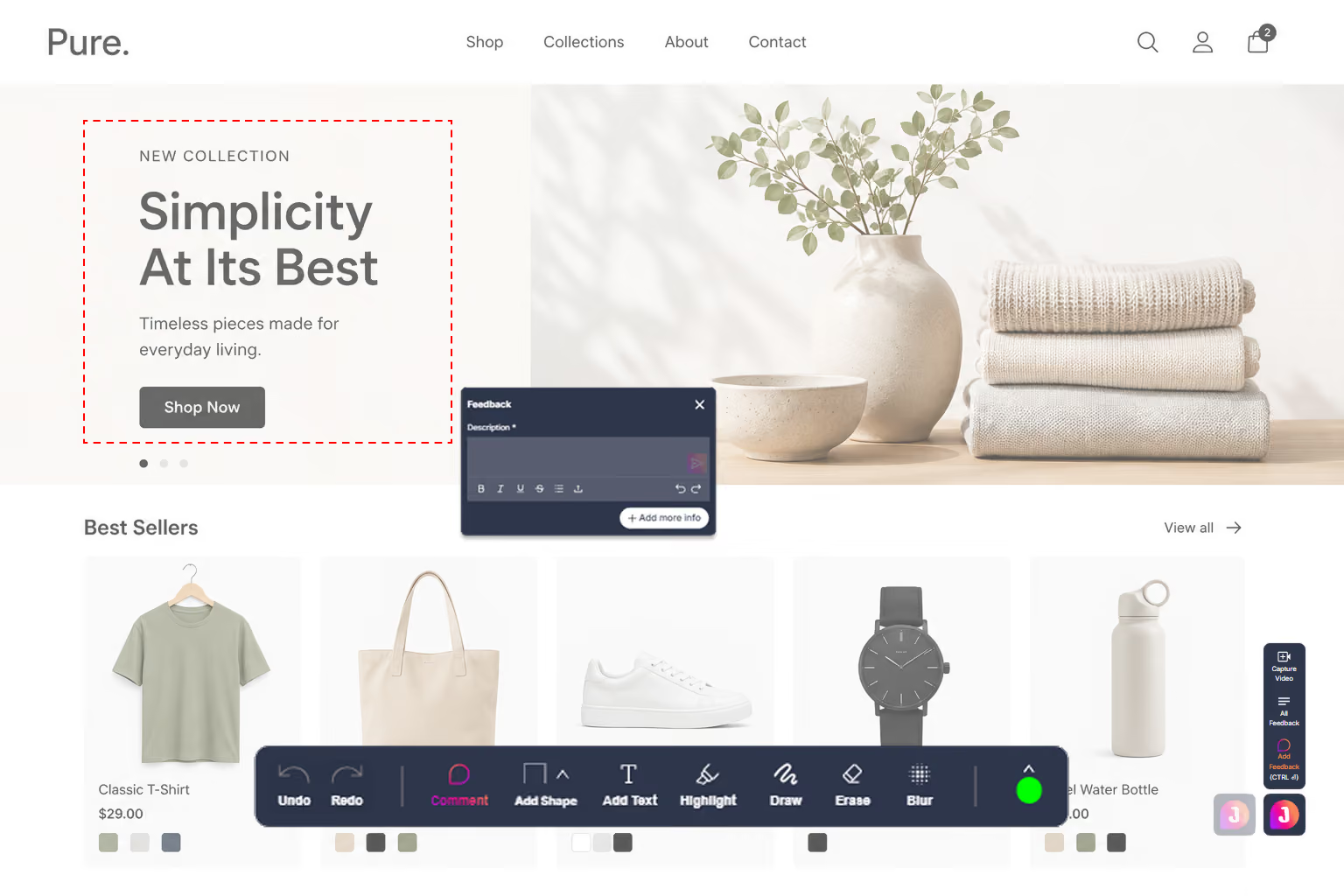
One-click Screenshots
Capture the exact viewport with a single click - no external tools, no fiddling with crop bounds. Annotate, crop and highlight directly in the browser, then attach it to a report instantly. The whole flow takes seconds, so reporters never break their stride.
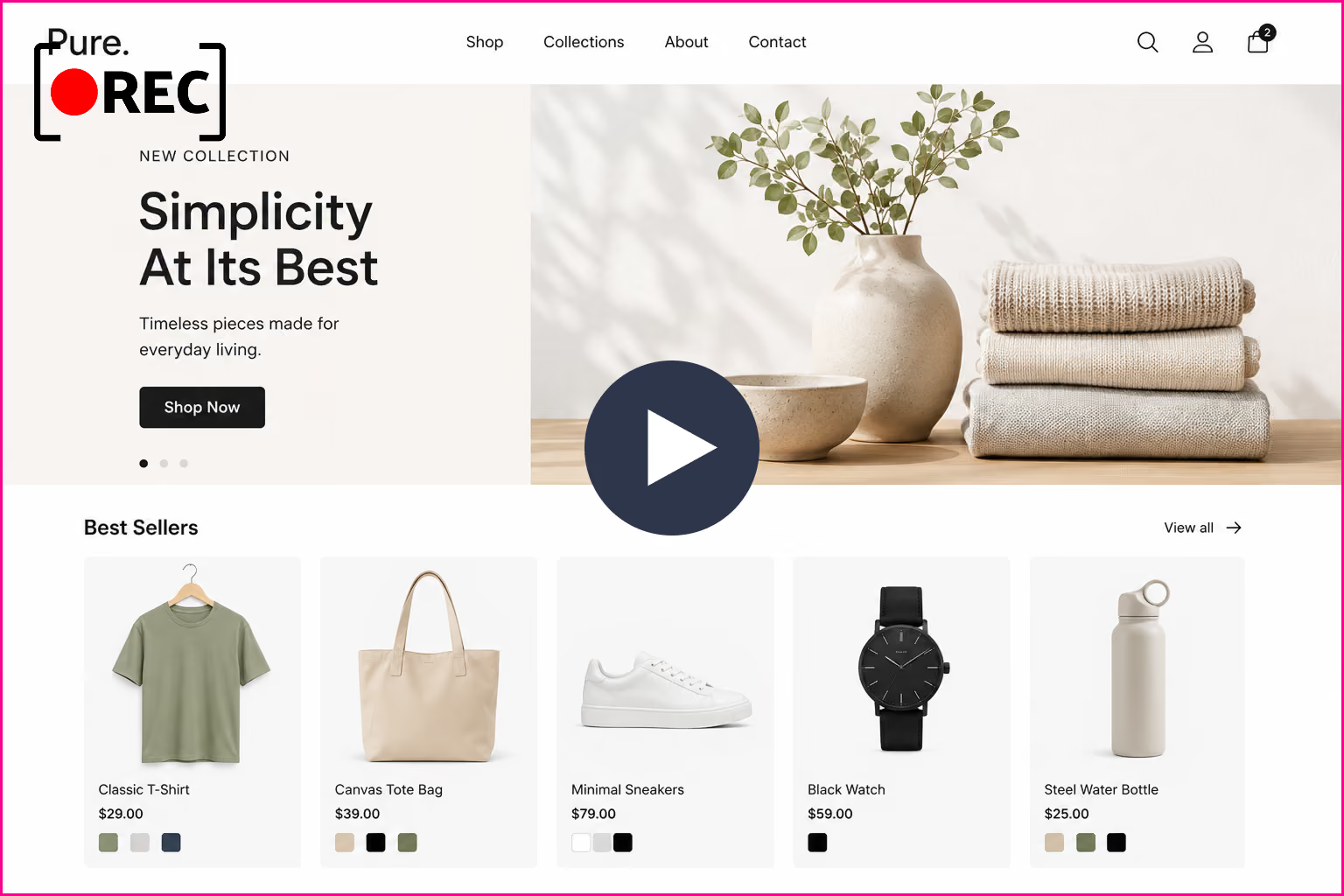
Screen Recording
Record up to 60 seconds of HD video with live cursor tracking, so intermittent and multi-step bugs are captured exactly as they happen. Reviewers watch the real sequence of actions instead of guessing from a static image. No screen-recording software or file uploads required.
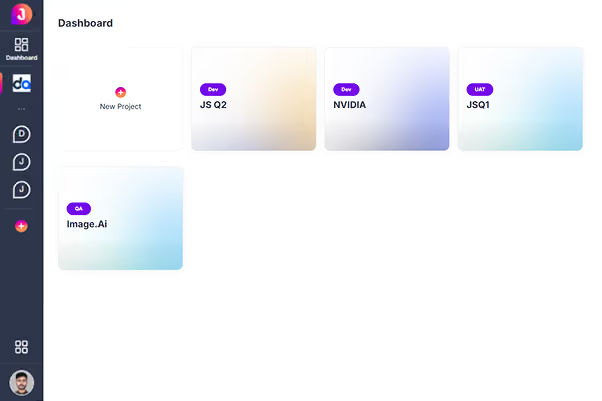
Project Management
Organise every piece of feedback in a structured list view or a freeform canvas view - whichever fits how your team thinks. Filter instantly by status, severity, assignee and environment to find what matters. Everything lives in one place, so nothing gets lost across channels.
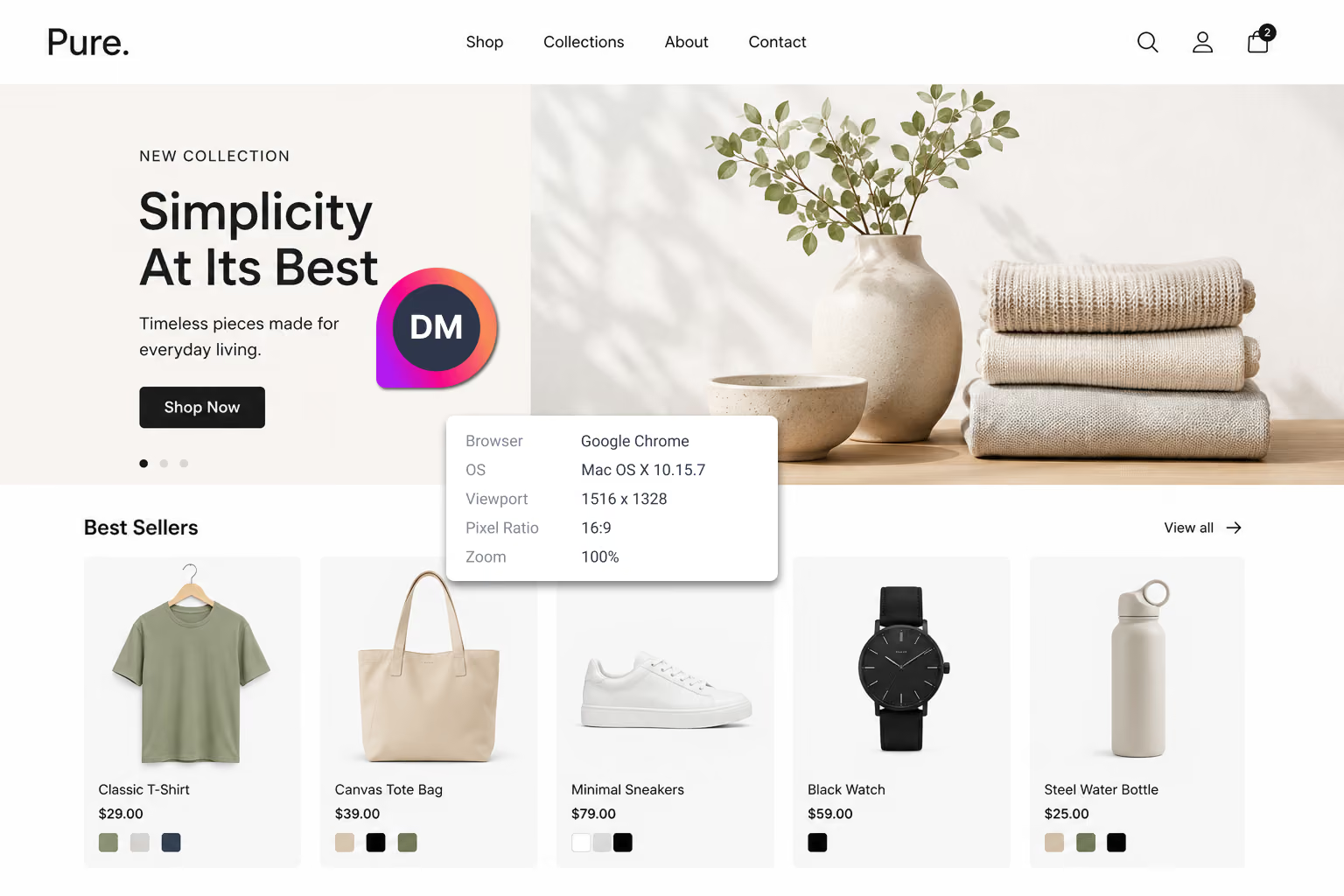
Magic Autofill
Browser, OS, viewport size, pixel ratio and the exact URL are all captured and attached automatically the moment a report is created. Reporters never type a single line of technical metadata. Developers open the ticket to a complete environment snapshot every time.
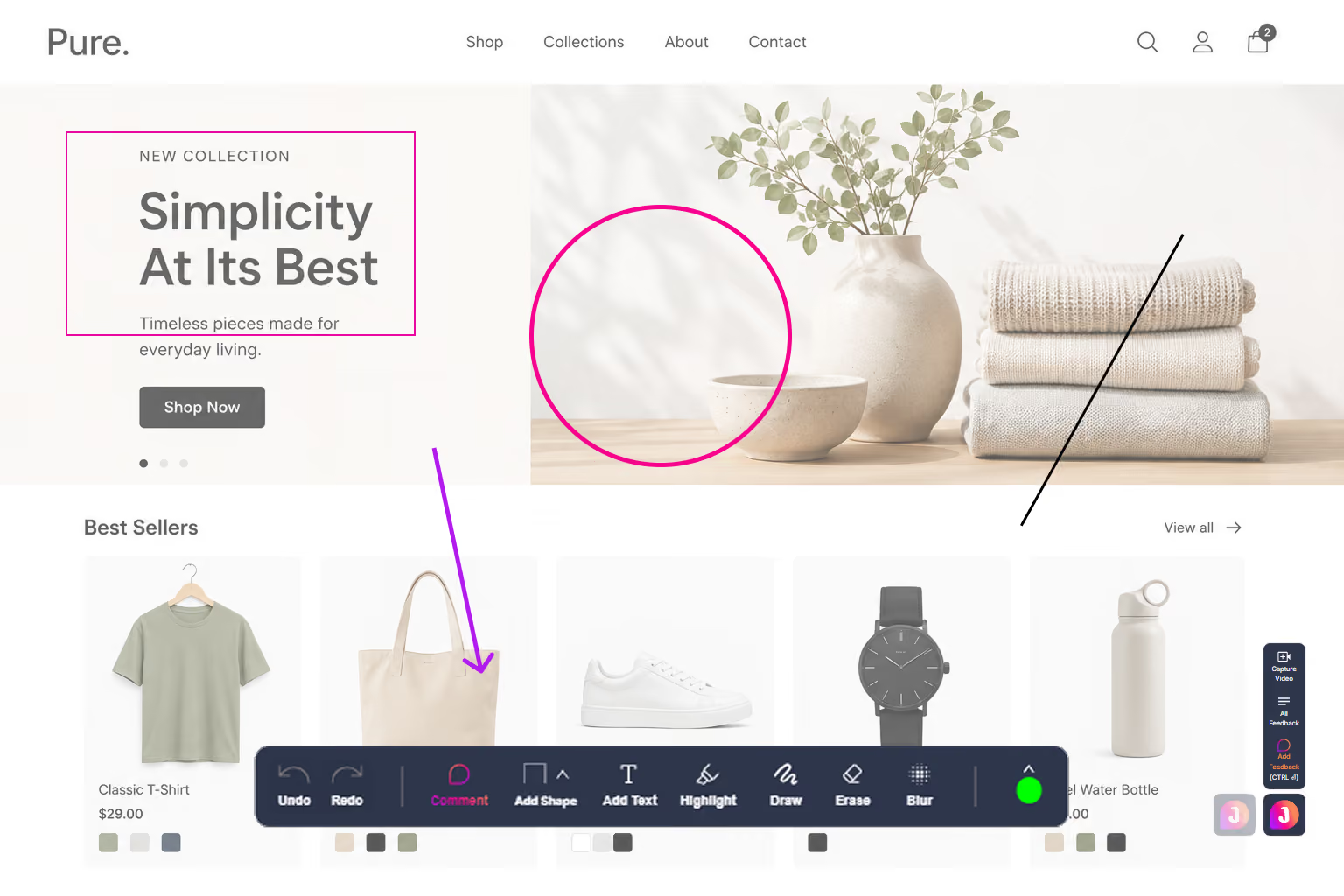
Smart Annotations
Draw arrows, highlight regions, add circles and drop notes right on top of the screenshot inside the JotGo overlay. Point to the exact element that is broken so there is zero ambiguity. Blur sensitive areas in the same pass before the report ever leaves the browser.
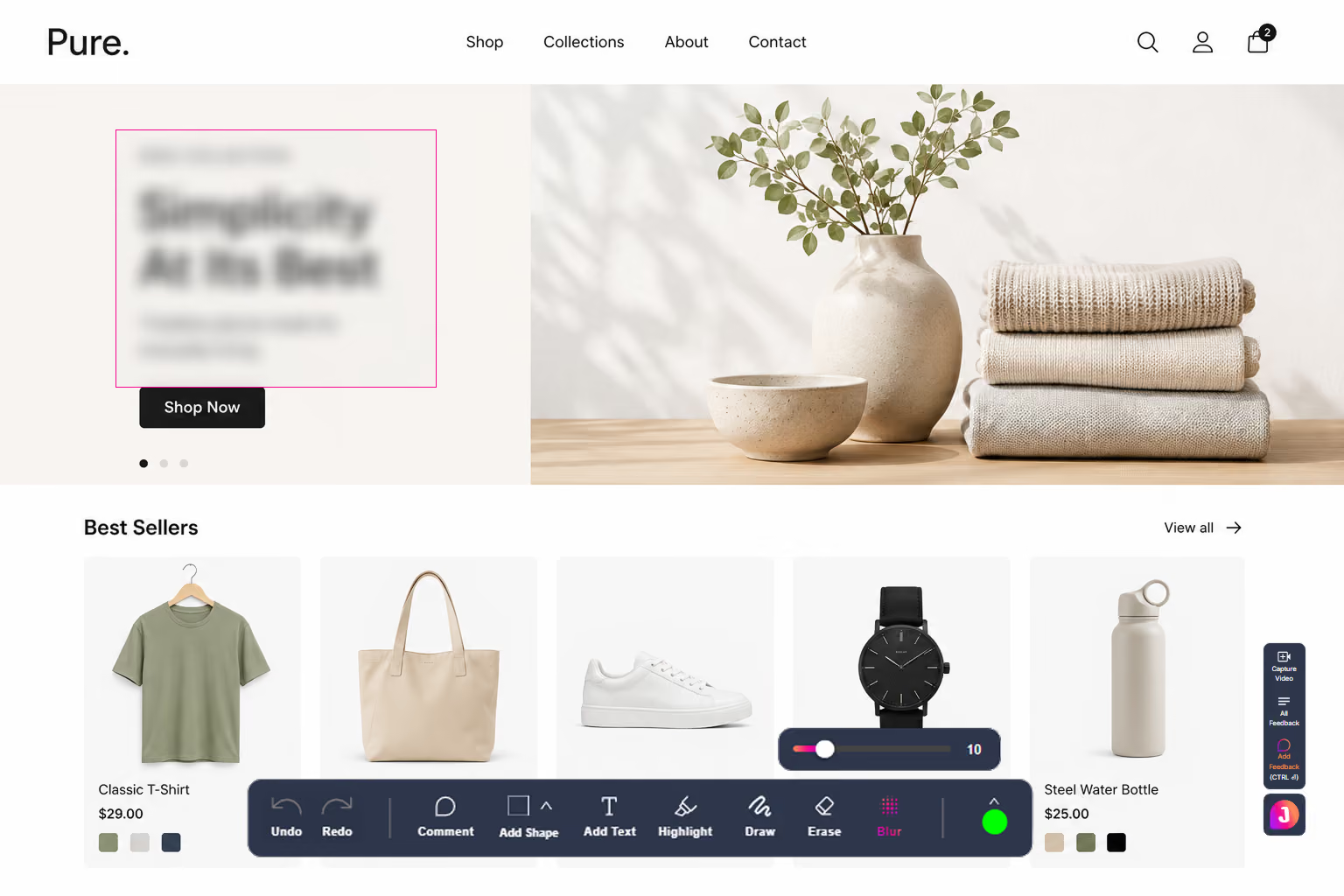
PII Protection
Blur sensitive data before a report is ever submitted, keeping personal information out of your bug tracker entirely. Passwords, emails, and personal details are redacted with a single click. Stay compliant and privacy-safe without slowing the reporter down.
Ready to try Capture Tools?
Join thousands of teams who resolve bugs faster with JotGo.